Use this file to discover all available pages before exploring further.
Each entity is composed of fields which define the attributes of that entity, such as name, email, or price. This page will guide you through creating and configuring entity fields within Amplication.
The Entities, Fields, and Relationships features are currently available for projects using Node.js and .NET blueprints.
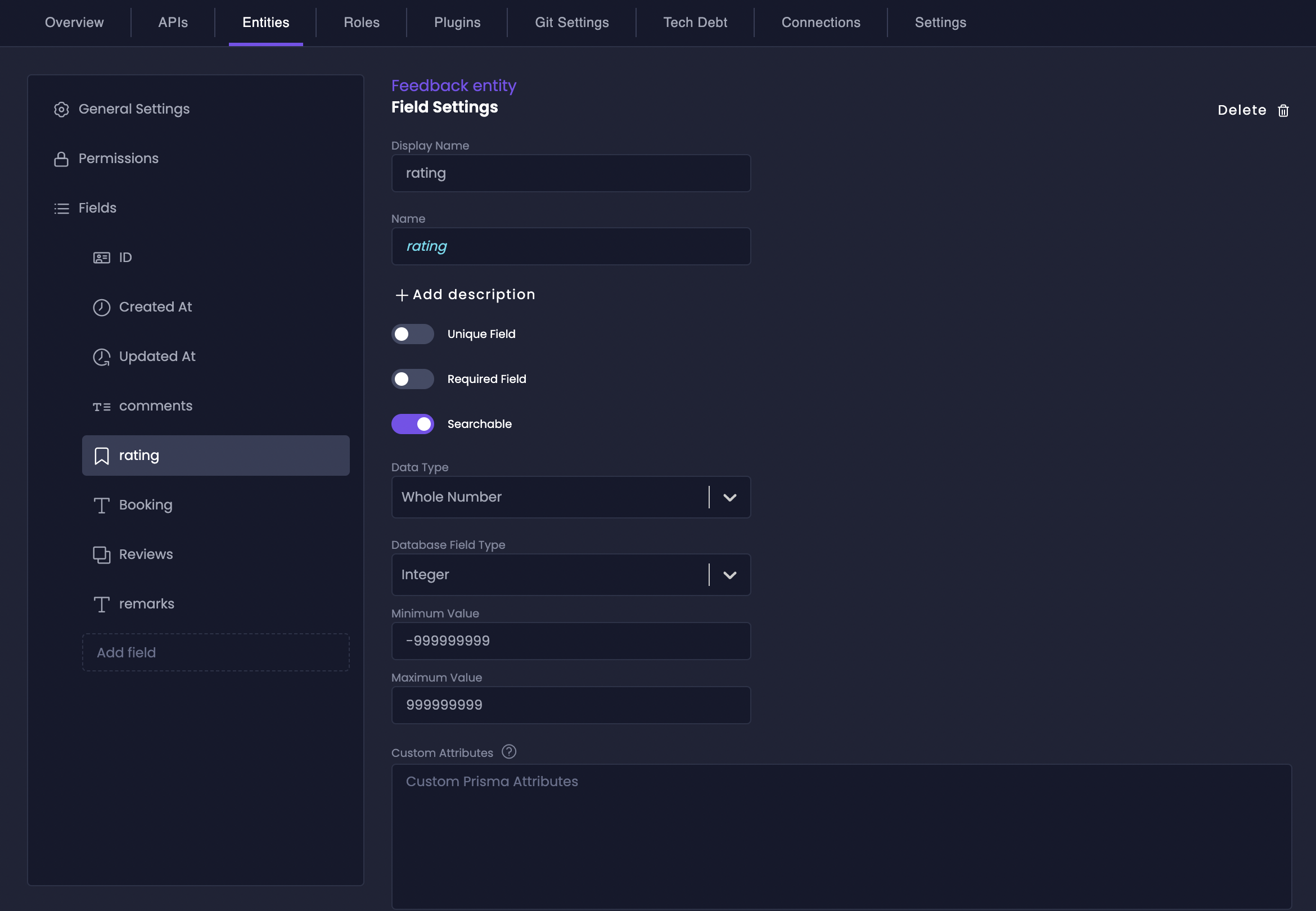
Each field offers optional settings to control its behavior and constraints:
Unique Field
Toggle Unique Field to ensure that each value in this field is unique across all instances of the entity. This is crucial for fields like email addresses or usernames where duplication isn’t allowed.
Required Field
Activate Required Field to make sure that this field must have a value when creating a new entity instance. This prevents incomplete data entries and enforces data integrity for critical attributes.
Searchable
Enable Searchable to allow users to search for entity instances based on the values in this field. Note that field visibility for search results is still controlled by permissions settings.
Even if a field is not set as Searchable, if permissions allow, the field’s data will still be included in search results when searching by other searchable fields.
Select the appropriate data type to define what kind of information your field will store. Each data type is optimized for specific use cases and provides built-in validation and handling.
Single Line Text
For short text strings like names or titles. You can set a maximum length to enforce data constraints.
Multi-Line Text
For longer text content like descriptions or notes. You can configure a maximum length.
Email
Specifically for email addresses, ensuring data is in a valid email format.
Username
Optimized for usernames, with a configurable maximum length.
Password
Designed for storing passwords securely. You can set a maximum length.
Whole Number
For integer values. You can select the database field type (Integer or Big Integer) and set minimum and maximum allowed values.
Decimal Number
For numbers with decimal places. You can choose the database field type (Decimal or Float), define minimum and maximum values, and set the precision level.
Date Time
For storing date and time information. You can choose between Local Time and Server Time and specify if it should include both date and time or just the date.
Boolean
For true/false values.
JSON
For storing flexible, schema-less data in JSON format. Excellent for custom fields and adapting to evolving data needs.
Option Set
For fields that can only take one value from a predefined list of options (single-select dropdown).
Multi-Select Option Set
Similar to Option Set but allows selecting multiple options from the list (multi-select dropdown).
Geographic Location
For storing geographic coordinates.
File
For storing file metadata. Configure maximum file size, allowed MIME types, and container path for file storage.
Roles
For managing user roles and permissions within your application.
Relation to Entity
Used to establish connections between different entities.
Amplication automatically creates essential fields for every entity:
id: A unique identifier for each entity instance. By default, it’s a CUID, but you can customize it to UUID, auto-increment integer, or auto-increment big integer.
createdAt: Automatically tracks the creation timestamp of each entity instance.
updatedAt: Automatically updates with the timestamp whenever an entity instance is modified.
For developers who need fine-grained control over their fields, Amplication provides Custom Attributes. These attributes allow you to directly leverage Prisma’s powerful schema customization features within the Amplication UI.
Advanced Customization is only available for Node.js blueprints.
You can add field-level attributes (prefixed with @) to customize individual field properties. These are accessible in the Custom Attributes text field within each field’s settings page.Common field-level attributes include:
@unique: Enforce uniqueness for a field
@default(...): Set a default value
@map("column_name"): Map to a different column name
Native database types: Specify database-specific data types (e.g., @db.VarChar(200))